How to Access iPhone Data Without the Phone



Lost on a train, lifted from a bar, dead in a drawer or already traded away, the phone is gone and the life inside it isn’t. To access iphone data without phone hardware in your hand, three doors stand open. Computer backups hold everything, iCloud.com holds the synced categories and other Apple devices hold what they shared. Here’s what each door shows, what each one can’t and the security moves that come first when gone means stolen.
Summary
To access iPhone data without the phone, open any computer backup with a viewer for messages, photos, contacts and call history, sign into iCloud.com for synced photos, contacts, notes and calendar or use a Mac or iPad on the same Apple ID. Messages never appear on iCloud.com, so they need the backup.
| What You Need | Where It Lives Without the Phone |
|---|---|
| Text messages and iMessages | Computer backup or a synced Mac or iPad |
| Photos | Computer backup or iCloud.com if synced |
| Contacts, notes, calendar | iCloud.com or any backup |
| Locating or erasing the phone | Find My on iCloud.com |
Table of Contents
Can You Access iPhone Data Without the Phone?
Yes, because the phone was never the only copy unless you arranged it that way. Apple’s ecosystem scatters your data across three redundant homes. Every computer backup froze the complete phone as of its date. iCloud sync mirrored its categories continuously. And sibling devices on the same Apple ID kept their own live copies of whatever they shared. The phone leaving takes none of those with it.
Which door to open first depends on what you’re after, per the table above. And when the phone is broken in your hand rather than absent, a different playbook applies, the one in our guide to recovering data from a broken iPhone.
If It Was Stolen, Do the Security Steps First
Data can wait twenty minutes. A thief with your phone can’t. Sign into iCloud.com from any browser, open Find My and put the phone in Lost Mode, which locks it behind its passcode and posts a contact message on the screen. Watch the map in case it’s merely mislaid.
When the map makes clear it’s truly gone, erase it remotely without hesitation. The erase reaches the phone alone. Every computer backup, everything in iCloud and everything on this page’s other doors stays untouched, so wiping costs you nothing while protecting your accounts, cards and conversations from whoever’s holding it.
How Do You Access the Data from a Computer Backup?
The backup is the phone’s complete stand-in, which makes it the widest door of the three. Hunt down every backup the phone ever made, on your PC, the family laptop, both Windows paths and every user profile, with Apple’s location guide and our own walkthrough of finding iPhone backups on Windows 11 covering the map.
iData Backup Viewer then opens what you find on Windows 10 or 11, no phone and no Apple ID required. The messages, photos, contacts, call history, notes and WhatsApp chats all appear, free to browse, with encrypted backups opening on their password per the password guide. This door is also the only one showing your texts, since iCloud’s website never will.
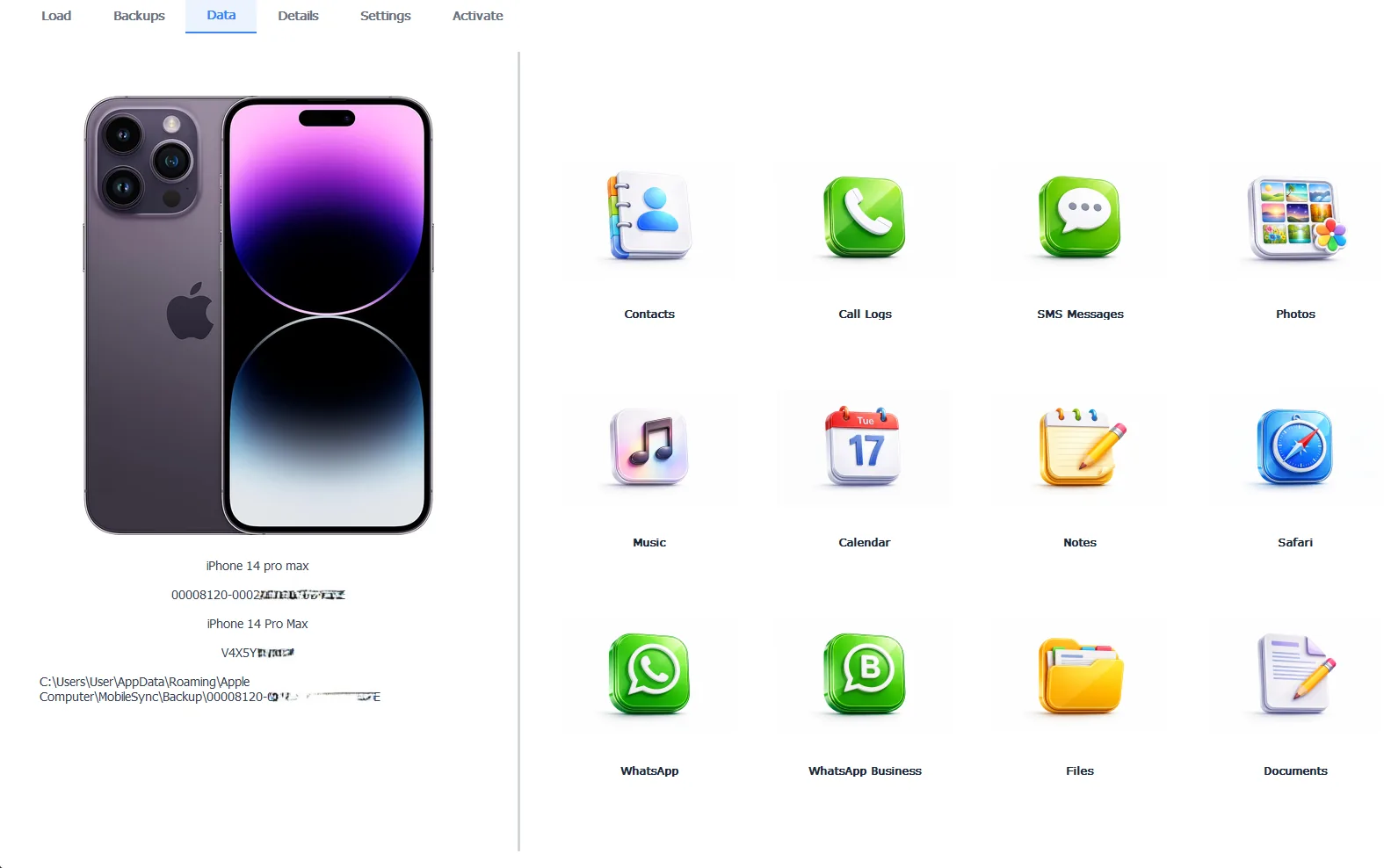
The absent phone’s entire life, open on a Windows PC
Browsing is free. Exporting everything out for keeps takes the Pro edition at $49 per year, 100% locally. And the same backup rebuilds a replacement phone whole, following our guide to restoring a backup to a different iPhone.
Free version previews your backup contents. Works on Windows 10 and 11.
What Does iCloud.com Show Without the Phone?
Any browser plus your Apple ID opens the synced half of your life. Photos appear when iCloud Photos was on. Contacts, calendar, notes, reminders, mail and iCloud Drive files all show in full, viewable and downloadable from the website directly. For plenty of people this covers most of what panic was about.
Know the website’s famous hole. Messages never appear on iCloud.com, whatever sync settings the phone ran. Your texts exist in exactly two reachable places without the phone, the computer backup above and any Mac or iPad still syncing them, which is the next door.
What About Other Synced Devices?
An iPad or Mac signed into the same Apple ID quietly held live copies of whatever it synced, Messages included when Messages in iCloud was on. Open Messages there and the conversations sit waiting, current to the moment the phone vanished. The same goes for photos, notes and the rest of the synced categories.
One caution carries over from every sync discussion. These are mirrors, not archives, so deletions flow to them too. Whatever matters on that iPad today deserves exporting to real files today, before any cleanup anywhere ripples across.
“Losing the phone teaches people what their data map really looked like. The ones who backed up to a computer lose a device and nothing else. The ones who trusted sync alone keep the synced half and mourn the rest. One backup, any backup, ever, changes which group you’re in.”
Viralkumar Patel in | iData Backup Viewer Team, CYBERSICS SOLUTIONS
What Can’t Be Reached?
The honest boundary. Data that lived only on the phone, never backed up and never synced, left with the phone. No account recovery, no software and no service reaches into a device that’s gone. For a phone that vanished years ago rather than yesterday, the search widens to every computer it ever met, old backups being the great unexpected survivors, with the full hunt mapped in our iPhone data recovery hub.
So walk the doors in order. Lock or erase a stolen phone first, open the computer backup for everything including texts, sweep iCloud.com for the synced categories and raid the iPad for what it mirrored. The phone was hardware. The life was data and most of it never left home.
Which of the three doors holds the thing you’re most afraid you lost?
Frequently Asked Questions
Can I see my text messages without the phone?
Not through iCloud.com, which leaves Messages off its website entirely. Texts live in two reachable places, any computer backup of the phone and any Mac or iPad still syncing Messages with the same Apple ID.
Does remotely erasing my stolen iPhone delete my backups?
No. The erase reaches the phone alone, so every computer backup and everything in iCloud stays exactly as it was. Wiping a stolen phone costs you nothing you could still access.
Can I get at the data without the Apple ID password?
iCloud routes need the Apple ID. Local computer backups don’t, opening with no Apple sign-in at all, just the backup’s own password when one was set. That independence is what makes them the strongest door in this whole situation.
The phone was never backed up anywhere. What’s left?
Whatever synced. Sign into iCloud.com and check photos, contacts, notes and calendar, since sync ran quietly whether anyone planned it or not. Data that neither synced nor got backed up went wherever the phone went.
Can I move everything onto a replacement phone?
Yes. A computer backup restores onto a different iPhone whole, the cross-device rules and steps covered in our guide to restoring a backup to a different iPhone.
Do backups on old computers still open?
They never expire. A backup from five years ago opens today with everything it held then, which makes old laptops and family PCs worth searching before declaring anything lost.
Written by Viralkumar Patel in
Viralkumar works on iData Backup Viewer at CYBERSICS SOLUTIONS, where he helps Windows users read, recover and export data from iPhone backups.