Data Missing After an iPhone Restore? Do This First



The restore finished, the phone works and your texts, photos or apps are nowhere. Before the 3AM spiral starts, hold onto the one fact this situation always hides. Restores read backups without draining them, so data missing after iphone restore attempts is missing from the phone, not from the backup sitting untouched on your computer. This guide protects that backup first, then finds out exactly what went sideways.
Before Anything Else
Do not back up this iPhone right now. Backups update one folder per device in place, so a new run replaces the backup holding your missing data with a copy of today’s incomplete phone. Unplug from auto-sync, turn off automatic backups and only then start diagnosing.
Summary
When data is missing after an iPhone restore, first block any new backup from overwriting the old one. Then open the backup in a viewer to see what it truly contains. Data present there can be extracted or restored again. Data absent there was never captured, which points to iCloud sync or the backup’s date instead.
Table of Contents
Is the Missing Data Actually Gone?
Almost never. A restore is a one-way copy from backup to phone, so nothing about a bad restore reaches back and harms the source. Whatever the backup held before you started, it holds now. The question worth answering is narrower than the panic suggests. Did the missing data ever make it into that backup at all? Everything below exists to answer it.
Why Is Data Missing After an iPhone Restore?
The restore isn’t finished yet. A restore has two acts. The phone boots after the first, then apps, photos and media stream in over the following hours on Wi-Fi and power. Empty app icons and thin photo libraries an hour in mean act two is still playing, not that anything failed.
The wrong backup got restored. Hash-named folders and multiple family devices make this the classic miss. An older backup or another iPhone’s backup restores flawlessly and still leaves your recent life behind.
The data lived in iCloud, not the backup. Categories synced to iCloud stay out of computer backups by design, a split Apple documents. With iCloud Photos on, your library returns through iCloud sign-in and sync, not through the restore. The same goes for iCloud-synced messages, notes and contacts.
The backup was unencrypted. Health, Activity and saved passwords ride only in encrypted backups. Restoring a plain one brings back everything else and genuinely never contained those.
The backup predates the data. Anything created after the backup ran was never captured. Check the backup’s date against the age of what’s missing before blaming the process.
The restore died partway. A cable pull or crash mid-restore leaves a half-written phone. Rerunning the restore properly, per our restore guide, finishes the job when the backup itself is sound.
How Do You Check What the Backup Really Contains?
Every cause above gets confirmed or eliminated the same way, by looking inside the backup instead of guessing from the phone. iData Backup Viewer opens the backup folder on Windows 10 or 11 and shows the messages, photos, contacts, call history and notes actually stored in it, with device names and dates that also expose a wrong-backup mixup on sight. Browsing is free and the backup is opened read-only, so looking risks nothing.
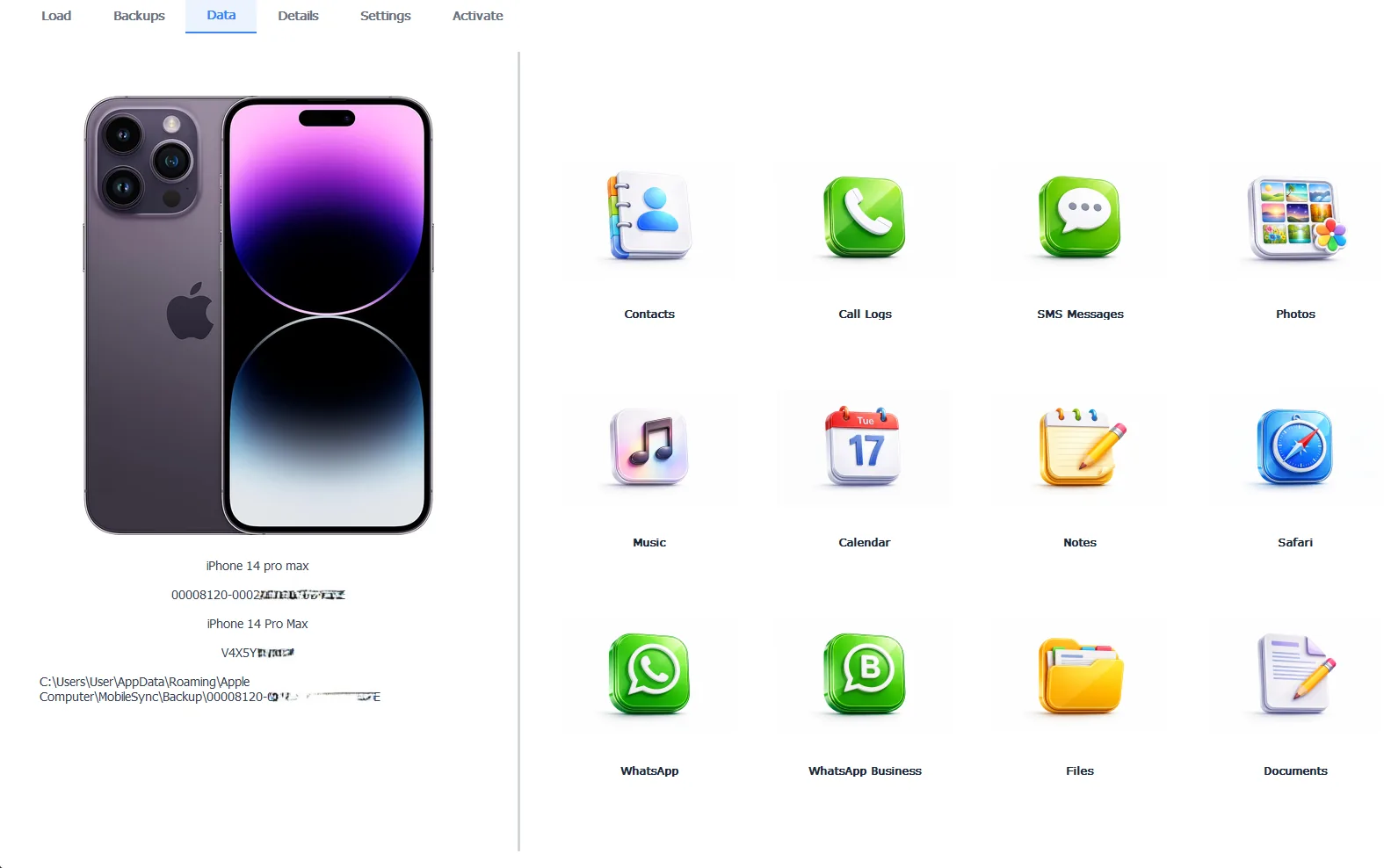
The backup’s true contents, settling what the restore should have delivered
Two minutes of looking splits the world in two. Your missing texts sitting right there mean a delivery problem with a happy ending. Their absence means a capture problem and a different search. Exporting whatever you find takes the Pro edition at $49 per year, 100% locally.
Free version previews your backup contents. Works on Windows 10 and 11.
How Do You Get the Missing Data Back?
When the backup holds it. Three exits, gentlest first. Give a young restore its second act overnight on Wi-Fi and power. Extract the specific missing items straight from the backup with the viewer, no new restore required. Or rerun the full restore carefully when the whole phone came back wrong, choosing the correct backup by its device name and date this time.
When the backup never had it. The hunt moves elsewhere. Sign into the right Apple ID and let iCloud sync deliver its categories. Check the Recently Deleted windows for photos if deletion rather than restoring explains the gap. And search for other backups, since the missing data can sit in an older backup, under the second Windows path or under another user’s profile, all mapped in our guide to finding iPhone backups on Windows 11. The full search tree for every case lives in the iPhone data recovery hub.
“The 3AM restore panic has one antidote and it’s information. Open the backup and look. Either the data is there, meaning you’ve already won and just need delivery. Or it isn’t, which redirects the whole search in thirty seconds. The people who suffer longest are the ones who keep restoring blind.”
Viralkumar Patel in | iData Backup Viewer Team, CYBERSICS SOLUTIONS
How Do You Make the Next Restore Complete?
Three habits turn this article into something you never read twice. Encrypt your computer backups so Health, Activity and passwords ride along, with the password guide keeping that key safe. Preview any backup before wiping a phone that depends on it, the single check that would have prevented most of the stories that end here. And keep the backup pipeline healthy year round using our guides to backing up an iPhone to a computer and backups that keep failing, because the best restore is one drawn from a backup you already trusted.
So the playbook runs stop, look, split. Stop new backups before one overwrites your evidence. Look inside the backup to learn the truth in two minutes. Split the problem into delivery or capture and follow the matching exit. The data survives this scenario far more than the panic ever believes. What the pillar on what an iPhone backup contains lists as included nearly always comes back.
Have you looked inside the backup yet or are you still restoring blind?
Frequently Asked Questions
Does restoring delete anything from the backup itself?
No. A restore reads the backup and writes to the phone, one direction only. However badly the restore went, the backup on your computer still contains exactly what it contained before you started.
How long does the second phase of a restore take?
Hours in many cases. After the phone boots, apps reinstall from the App Store and media re-downloads in the background, needing Wi-Fi and power the whole time. Judging a restore thirty minutes in judges it half finished.
Why are my photos missing after the restore?
With iCloud Photos turned on, your photo library lives in iCloud rather than in the computer backup, so it returns through iCloud sync instead of the restore. Sign into the same Apple ID, stay on Wi-Fi and give the library time to stream back.
Why are Health data and saved passwords missing?
They were never in the backup. Apple includes Health, Activity and saved passwords only in encrypted backups, so restoring an unencrypted one brings back everything except those. Encrypt future backups and the gap closes.
Can I pull just the missing items out of the backup?
Yes. A backup viewer reads the backup directly on your PC and exports individual conversations, photos or contacts, skipping the restore process entirely. For a handful of missing items, that beats another full restore.
Should I make a fresh backup right now?
Not until the missing data is recovered. A new backup updates the same device folder in place, replacing the version that still holds your missing data with a copy of today’s incomplete phone.
Written by Viralkumar Patel in
Viralkumar works on iData Backup Viewer at CYBERSICS SOLUTIONS, where he helps Windows users read, recover and export data from iPhone backups.