Decipher TextMessage Alternative for Windows (2026)



Decipher TextMessage does one job and does it well, so a decipher textmessage alternative is worth considering only when your job is a different shape. Decipher turns iMessage and SMS into court-ready PDFs. If that is exactly what you need, it is already the right tool. The people who should keep reading are the ones who need more than texts, WhatsApp, photos, contacts or the whole backup, because that is where a different kind of tool earns its place. This guide draws the line honestly and says where Decipher still wins.
Quick Answer
The right Decipher TextMessage alternative depends on scope. For court-ready message PDFs with sender names and timestamps, Decipher is purpose-built and hard to beat. For reading a whole backup, WhatsApp, photos, contacts and call history, not only SMS and iMessage, a full backup viewer fits better. Match the tool to whether you need messages alone or the entire backup.
| Capability | Decipher TextMessage | Whole-Backup Viewer |
|---|---|---|
| Export SMS and iMessage to PDF | Yes, court-formatted | Yes |
| Read WhatsApp chats | No | Yes |
| Read photos, contacts, call history | No | Yes |
| Pricing | One-time, near $30 | Yearly license |
| Best for | Court text-message PDFs | The entire backup |
Table of Contents
What Does Decipher TextMessage Do?
Decipher TextMessage is a desktop app for Windows and Mac that reads an iTunes or Finder backup and exports iMessage and SMS conversations. It saves them to PDF, CSV, HTML or TXT. Its PDF output is formatted to look like the Messages app, with chat bubbles, timestamps and sender names on every line. It runs at a one-time price near $30, keeps data local and has a long reputation in this niche.
The one boundary that defines it is scope. Decipher reads iMessage and SMS only. Third-party apps like WhatsApp, Instagram, Telegram and Signal are stored outside the standard message format Decipher reads, so they stay out of reach, along with photos, contacts and call history. That narrow focus is a strength for message export and the exact reason some users need an alternative.
Where Decipher TextMessage Still Wins
Say it plainly before offering anything else. For its one job, Decipher TextMessage is excellent. Switching away from it can be a downgrade.
- Court-ready PDF formatting. Its message PDFs carry sender names, phone numbers and timestamps in a layout courts recognize, which is its signature feature.
- One-time price. A single license near $30 can cost less over time than a yearly subscription for message-only work.
- Legal-focused extras. It shows iMessage edit history and previews deleted messages from a backup, useful for disputes and records.
- Long track record. It is one of the older names here with a solid reliability reputation.
If your task is exporting text messages for court and nothing more, Decipher TextMessage is built for exactly that. Our guide to printing text messages from iPhone for court covers that scenario in full. An alternative makes sense only when the job grows past texts.
Where a Whole-Backup Viewer Fits Better
The moment you need more than SMS and iMessage, a message-only tool cannot help. A whole-backup viewer becomes the better fit.
iData Backup Viewer reads the entire iTunes backup on Windows 10 or 11, not only messages. It shows SMS and iMessage, plus WhatsApp chats, photos, contacts, call history and notes, every category free to browse. It exports what you choose after a $49 per year upgrade. Encrypted backups open with the password. For anyone whose need is broader than texts, one tool covers the whole backup instead of buying a separate app per data type.
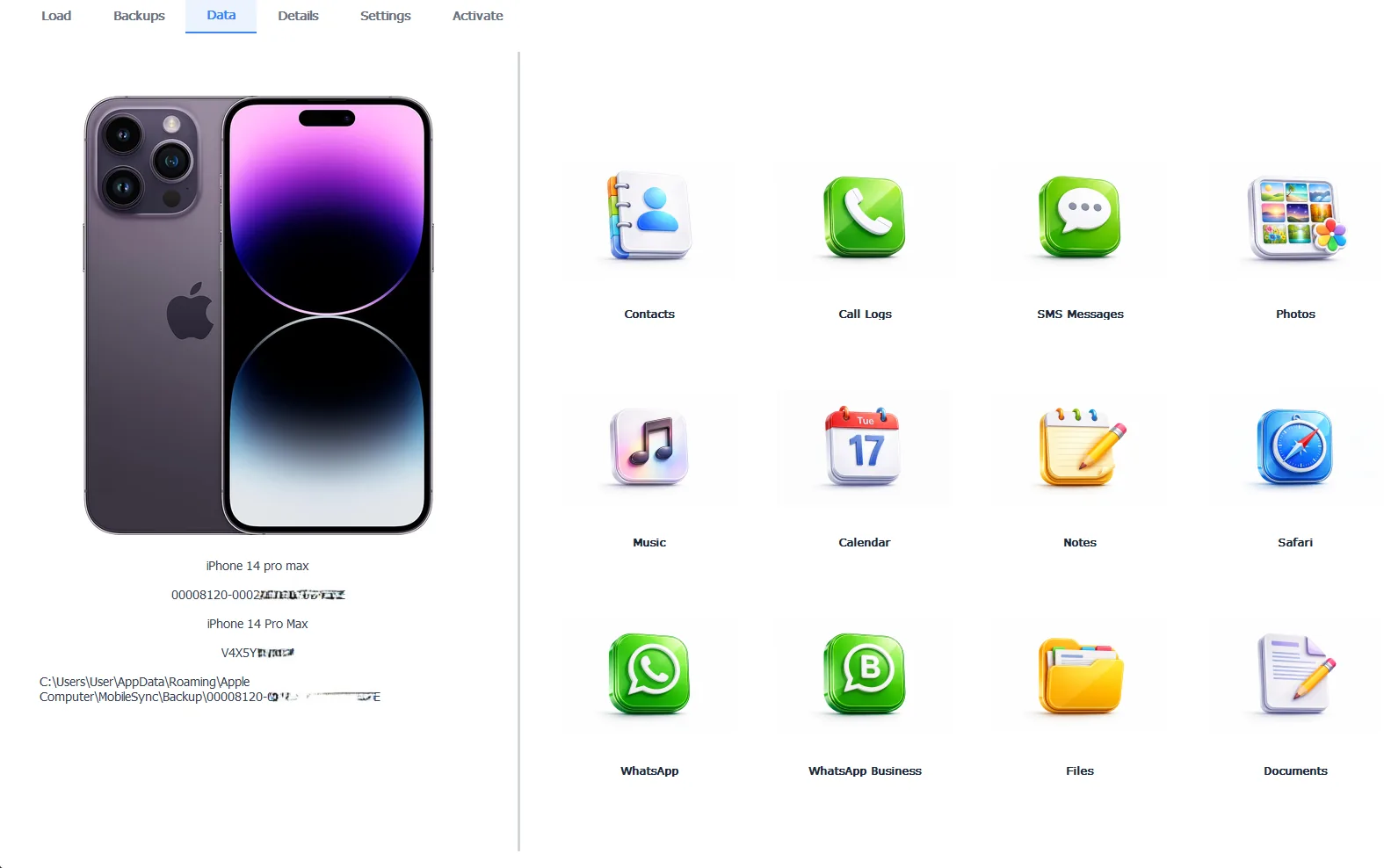
A whole backup open by category, messages plus WhatsApp, photos and more
The honest limitation. iData Backup Viewer does not produce a legal-grade, court-formatted message PDF the way Decipher does. It is a yearly license rather than a one-time buy. For message-only court work, Decipher is the better pick. For reading and exporting the whole backup, iData covers ground Decipher never touches. The two tools solve different problems, weighed alongside others in our guide to the best iPhone backup extractor for Windows.
Free version previews your backup contents. Works on Windows 10 and 11.
“Decipher owns the court PDF. We do not pretend otherwise. If a lawyer needs formatted text records and nothing else, we point them straight at Decipher. Where we help is the person who thought they only needed texts, then realized the WhatsApp chats and the photos matter too. One tool for the whole backup beats four tools for four data types.”
Viralkumar Patel in | iData Backup Viewer Team, CYBERSICS SOLUTIONS
What About Court and Legal Records?
For formal or legal records, be honest with yourself about the format required. Decipher TextMessage was built for this. Its court-formatted PDF with sender names and timestamps is the reason legal users choose it. A general viewer exports messages too, but does not aim at that legal layout.
One point applies whichever tool you use. Preserve the metadata. A record where every message carries its sender and timestamp is far harder to dispute than a bare wall of text, a principle our guide to printing text messages for court follows throughout. This site does not give legal advice, so confirm the accepted format with the court or a lawyer before relying on any export.
Which Should You Use?
The choice comes down to scope, texts alone or the whole backup.
- Court text-message PDFs and nothing more, use Decipher TextMessage.
- WhatsApp, photos, contacts and the whole backup, use iData Backup Viewer.
- Only saving readable texts for yourself, either works, so let price and format decide.
Whatever reads the backup, the backup carries your data, so keep a recent one. Our guides to saving text messages to your computer and exporting WhatsApp chats show the export side, while recovering deleted text messages and the full iPhone data recovery hub cover the rest.
Choosing a Decipher TextMessage alternative comes down to a few plain points:
- Decipher wins for court-ready message PDFs at a one-time price, so keep it for that.
- A whole-backup viewer wins when you need WhatsApp, photos, contacts or the entire backup.
- Both read the same iTunes backup, so they differ in what they pull out, not the source.
- Match the tool to scope, messages alone or the whole backup.
⬇ Try iData Backup Viewer Free
Do you need only text messages or the whole backup they came from?
Frequently Asked Questions
What does Decipher TextMessage do best?
Decipher TextMessage exports iMessage and SMS from an iTunes or Finder backup into court-ready PDFs with chat bubbles, timestamps and sender names on every message. It runs on Windows and Mac at a one-time price near $30 and is built for legal documentation. For message-only export, it is a strong, long-standing choice.
Why look for a Decipher TextMessage alternative?
The main reason is scope. Decipher reads only iMessage and SMS, so WhatsApp, Instagram, photos, contacts and call history stay out of reach. Anyone needing the rest of the backup, not just texts, needs a whole-backup viewer instead. Some users also want everything in one tool rather than a message-only app.
Can a Decipher alternative export WhatsApp too?
Yes, that is the main gap it fills. iData Backup Viewer reads the whole backup on Windows, so WhatsApp chats, photos, contacts and call history all export alongside SMS and iMessage. Decipher is limited to iMessage and SMS by design.
Is Decipher or a backup viewer cheaper?
For message-only export, Decipher’s one-time price near $30 can cost less over time than a yearly viewer license. The comparison changes when you need the whole backup, since a viewer covers many data types in one paid tool while Decipher covers texts alone.
Which tool is better for court text messages?
Decipher TextMessage is purpose-built for that job, with PDF formatting courts recognize. A general backup viewer exports messages too, but Decipher’s legal-focused output is its specialty. For court records specifically, weigh Decipher first.
Do both read the same iPhone backup?
Yes. Decipher and iData Backup Viewer both read a standard iTunes backup on the computer, so the backup is the same. They differ in what they pull out of it, Decipher for messages and a full viewer for every category.
Written by Viralkumar Patel in
Viralkumar works on iData Backup Viewer at CYBERSICS SOLUTIONS, where he helps Windows users read, recover and export data from iPhone backups.
Last updated September 2026. Competitor details come from public product pages and can change. Verify current pricing before buying.