How to Fix a Corrupt iTunes Backup (Without Losing Data)



Corrupt is iTunes’ word for I give up, not a coroner’s verdict on your data. Roughly half the backups wearing that label turn out perfectly healthy, rejected over a version mismatch or a quarantined file. To fix corrupt itunes backup trouble properly, you triage first, repair what repairs and extract from what doesn’t. Here’s the whole ladder in the order that wastes the least of your time.
Summary
To fix a corrupt iTunes backup, update iTunes or switch to the Apple Devices app first, since version mismatches cause most corrupt verdicts. Then check antivirus quarantine, run the restore from a fresh copy of the folder and if restoring still fails, extract the data directly with a backup viewer.
| What Actually Broke | Your Odds |
|---|---|
| Version mismatch posing as corruption | Fully fixable in minutes |
| Antivirus quarantined backup files | Fixable by restoring the files |
| Damaged index, intact data files | Restore fails, extraction works |
| Drive failure ate the files themselves | Whatever still reads, nothing more |
Table of Contents
What Does a Corrupt iTunes Backup Actually Mean?
An iPhone backup is thousands of hash-named files plus an index database that maps every one of them back to its place on the phone. During a restore, iTunes walks that index and expects perfect agreement. One missing file, one truncated database or one entry it can’t reconcile and the whole restore stops with the corrupt or not compatible message, the error our companion guide to the corrupt or not compatible error dissects line by line.
The detail that changes everything sits in that architecture. The index breaking is the common failure. The data files themselves mostly survive, which is why extraction succeeds so regularly where restoring cannot.
Is Your Backup Really Corrupt?
Test the impostors before treating the patient. A backup made by a newer iOS reads as corrupt or incompatible to an older iTunes, a mismatch Apple documents directly. The backup itself is innocent. The same false verdict follows a restore interrupted by a flaky cable, covered in our guide to iPhones not showing up in iTunes or an iPhone without enough free space to receive the restore.
Real corruption has different fingerprints. The backup drive has thrown errors elsewhere, the original backup run never actually finished or your antivirus history shows action against files in a MobileSync folder. When none of the impostors fit, move to the ladder.
How Do You Fix a Corrupt iTunes Backup?
Step 1. Update everything. Install the newest iTunes or, better on Windows 11, the Apple Devices app, plus pending Windows updates. Then retry the restore following our restore guide. This single step clears the version-mismatch class entirely and costs ten minutes.
Step 2. Check antivirus quarantine. Open your security software’s quarantine or protection history and search for anything seized from a MobileSync path. Restore any hits back to their original location, add the backup folder to the exclusions list and retry.
Step 3. Repair the drive and retry from a copy. Right click the drive holding the backup, open Properties, then Tools and run the error check. Afterwards copy the entire device backup folder to a different drive and point the restore attempt at the copy. Copying routes around weak disk sectors and sometimes that alone revives a restore.
Step 4. Try another computer. A restore that fails identically on a second PC indicts the backup itself. One that succeeds there indicts the first machine’s iTunes install, drivers or security stack instead. The split saves you from repairing the wrong thing.
Apple’s own backup troubleshooting page covers the same ground more briefly and stops exactly where the next section begins.
What If the Repair Fails?
Two honest roads remain and they serve different goals. When the goal is your data rather than a working restore, extraction wins on reliability. iData Backup Viewer reads the backup file by file on Windows 10 and 11, sidestepping the broken index that killed the restore. It shows every message, photo, contact and call log it can recover, free, before you commit to anything. Encrypted corrupt backups open the same way with their password.
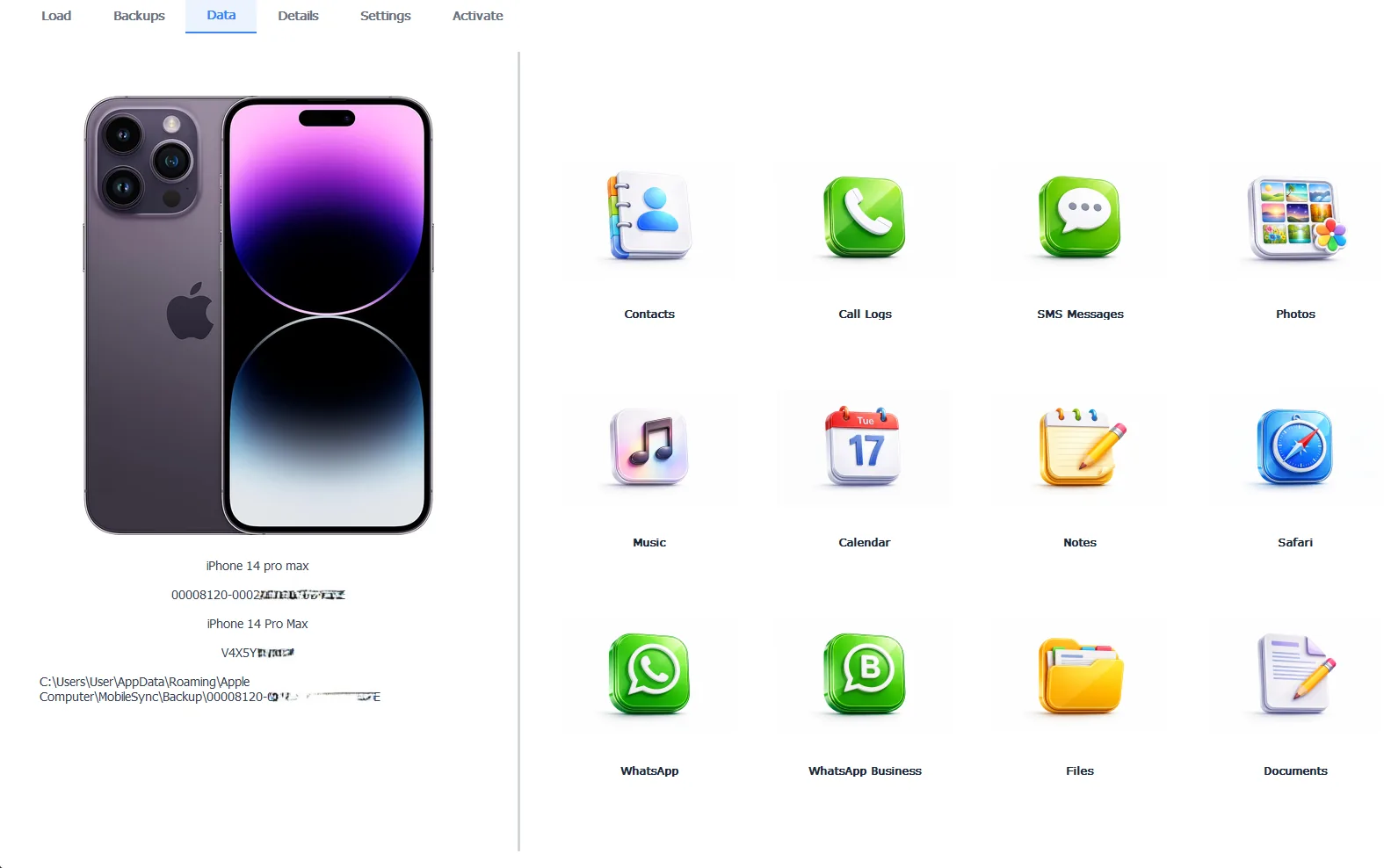
A backup iTunes refused to restore, reading fine file by file
The preview costs nothing and exporting what it finds takes the Pro edition at $49 per year, all of it 100% local to your PC.
Free version previews your backup contents. Works on Windows 10 and 11.
When you genuinely need the full restore to succeed, meaning a working phone rebuilt from this exact backup, dedicated repair software like Decipher Backup Repair attempts to rebuild the damaged index itself. Results vary with the damage and it costs money, but for a restore-or-nothing situation it’s the honest remaining option. Extraction first is still the sensible order, since it banks your irreplaceable data before any repair experiment touches the folder.
“Corrupt means the index and iTunes stopped agreeing. It almost never means the photos are gone. Restores need the whole map to be perfect while extraction just needs the files to exist. The files nearly always exist. Bank the data first. Experiment on the backup second.”
Viralkumar Patel in | iData Backup Viewer Team, CYBERSICS SOLUTIONS
When Should You Delete and Start Over?
Apple’s standing advice for a corrupt backup is delete it and back up again. The advice is sound under one condition. The iPhone must still be alive and holding the data, making the corrupt backup a redundant copy rather than the last one. In that case follow our guide to deleting iPhone backups safely, run a fresh backup and preview the new one before trusting it.
When the phone is broken, wiped or gone, the equation inverts completely. That corrupt backup is now the sole surviving copy of everything, so extraction comes first and deletion never, whatever any error dialog suggests.
How Do You Prevent the Next One?
Three habits close the common doors. Leave the cable alone until the backup finishes, since interruptions author more corruption than any other cause, with our guide to backups taking forever explaining what patience looks like. Exclude the MobileSync folder from real-time antivirus scanning so nothing gets seized mid-write. And preview each important backup after it completes, because a backup verified readable today spares you this entire article next year. The wider recovery picture, every scenario included, lives in our iPhone data recovery hub.
The whole subject compresses to one sorting question. Is the problem the verdict or the files? Mismatches and quarantines are verdict problems and repair fully. Index damage is a half problem that extraction walks around. Only dead drives take data with them and even they rarely take everything.
Have you tried reading your corrupt backup before believing what iTunes said about it?
Frequently Asked Questions
What causes an iTunes backup to become corrupt?
The usual culprits are an interrupted backup run, disk errors on the drive holding it, antivirus software quarantining backup files mid-write and damage picked up while copying the folder between drives. Genuine random corruption is rarer than all four.
Can iTunes itself repair a corrupt backup?
No. iTunes ships no repair function of any kind. Its only offer is deleting the backup and making a fresh one, which works fine when the iPhone still holds the data and destroys everything when it doesn’t.
Will updating iTunes fix the corrupt or not compatible error?
When the real problem is a version mismatch, yes, instantly. A backup from a newer iOS read by an older iTunes reports as incompatible while being perfectly healthy. Updating iTunes or switching to the Apple Devices app clears it.
Can data still be extracted from a genuinely corrupt backup?
Frequently, yes. Corruption tends to break the index that restores depend on while leaving most individual files intact, so a backup viewer can still read messages, photos and contacts out of a backup that iTunes rejects.
Does deleting the corrupt backup fix anything?
It clears the way for a fresh backup, nothing more. Delete only when the iPhone itself is alive and still holds the data. When the backup is the last copy in existence, deleting it deletes your history.
How do I know a new backup is healthy?
Open it and look. Previewing the finished backup in a viewer and seeing your messages and photos inside is the one verification that beats every progress bar.
Written by Viralkumar Patel in
Viralkumar works on iData Backup Viewer at CYBERSICS SOLUTIONS, where he helps Windows users read, recover and export data from iPhone backups.