Get Data from an Old iPhone You No Longer Have



The phone went to a trade-in bin in 2019 and tonight you’d give anything for the photos that were on it. Here’s the sentence that changes the evening. Every computer that phone ever plugged into could still hold a complete backup of it, because local backups never expire. To get data from old iphone history, you don’t need the phone. You need to remember which machines it touched, then go dig. This is the map for the dig.
Summary
To get data from an old iPhone you no longer own, hunt for computer backups on every machine the phone ever met, since those never expire. iCloud deleted its backup 180 days after the phone stopped backing up, but synced photos, contacts and notes still live in the account.
| The Copy | Does It Still Exist? |
|---|---|
| Computer backups | Yes, until someone deletes them. No expiry |
| The old iCloud backup | Deleted 180 days after the phone stopped |
| Synced iCloud data | Alive as long as the account is |
| The phone itself | Erased at sale, a closed door |
Table of Contents
Can You Still Get Data from an Old iPhone?
Whenever any copy was ever made, yes. Copies got made more than people remember. Every sync with iTunes wrote a full snapshot of the phone onto that computer. So did every backup before an update and every plug-in where someone clicked yes to a prompt. Those snapshots have one glorious property. They sit on the disk untouched until someone deletes them. Almost nobody ever does.
So the question isn’t whether the phone can be reached. It can’t, it’s gone. The question is which machine holds its ghost, which turns tonight’s problem into a search problem with a short list of places to look.
Where Do You Hunt for Forgotten Backups?
Write the list of every computer that phone ever met, then search them in order of likelihood. Start with the laptop you owned in that era, working or retired to a closet. Add the family desktop everyone shared. Add the PC of whoever ran the household’s tech back then. On each machine check both Windows backup paths under every user profile, the full map in our guide to finding iPhone backups on Windows 11, plus any external drives that once held a computer’s files.
Dead computers stay on the list. A laptop that won’t boot holds a drive that mostly still reads. Pull the drive, connect it to a working PC with an inexpensive USB adapter and browse to the MobileSync folders on it. Backup folders copy off old drives happily. The one honest write-off is a work computer from a past job, wiped and reissued long ago.
How Do You Open a Backup from Years Ago?
Found folders with long hashed names? That’s the ghost. iData Backup Viewer opens them on Windows 10 or 11 and labels each with its device name, model and backup date, turning gibberish into iPhone 7, backed up June 2019 at a glance. Inside sits the complete time capsule. The messages, photos, contacts, call history and notes appear exactly as they stood that day, free to browse.
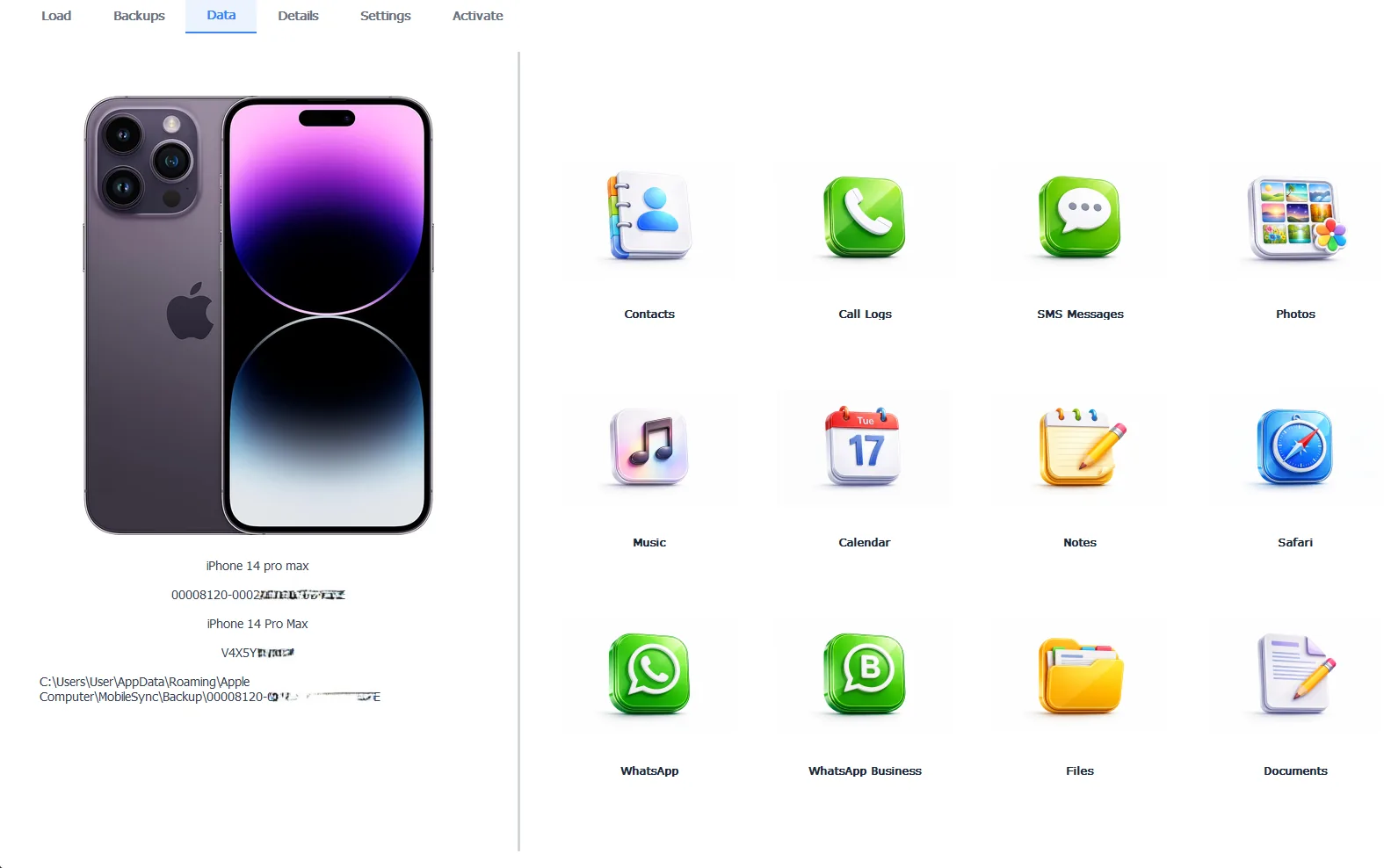
A 2019 phone, reopened like a time capsule on a 2026 PC
An old backup that demands a password came from past you. Past you gets outsmarted more than you’d think. Guesses are unlimited, so work the password patterns of that era and the managers you used then, the full campaign in our password guide. Exporting the treasures out takes the Pro edition at $49 per year, everything 100% local. The same backup can even rebuild a current iPhone through our guide to restoring a backup to a different iPhone.
Free version previews your backup contents. Works on Windows 10 and 11.
“The best recovery stories we hear all start the same way. Someone opens a closet. The phone is long gone and the grief is years old. Then a laptop nobody could bring themselves to throw out turns out to hold every photo and every message from that whole era. Local backups are accidental heirlooms. Check the closet before you accept the loss.”
Viralkumar Patel in | iData Backup Viewer Team, CYBERSICS SOLUTIONS
What About iCloud from That Era?
iCloud runs two systems with opposite memories. The old phone’s iCloud backup is gone, since Apple keeps a backup 180 days after a device stops backing up, then deletes it, no warning email included. Years-gone phones are years past that window.
Synced data lives by kinder rules. Photos uploaded through iCloud Photos, contacts, notes and calendars all persist as long as the account does. Sign into iCloud.com with the Apple ID of that era and look. A forgotten old Apple ID recovers through iforgot.apple.com with patience. Between the account’s synced survivors and the closet’s backup, most of an old phone turns out to be findable, the wider crisis version of this hunt covered in our guide to accessing iPhone data without the phone.
What’s Genuinely Gone?
Three honest closures. The phone itself, properly erased at sale, tells no tales and the buyer can’t help you. Data that never synced and never met a computer left no ghost to find. And whatever the old iCloud backup alone contained expired with it at day 180. Everything else on this page remains in play, which for most people covers the photos and conversations that started the search.
The lesson for the next trade-in writes itself. Archive the phone to a computer before it goes, verified readable, the ritual our guide to moving to a new iPhone without iCloud builds into every handoff. Future you will open that folder the way tonight you wishes it could.
So make the list of machines, dig through both paths on each, pull the drive from anything dead and let the viewer name what you find. The phone was temporary. The backups were accidental permanence. One of them is probably waiting. Every other road back to lost data runs through our iPhone data recovery hub.
Which closet in your life is most likely holding that laptop right now?
Frequently Asked Questions
Do old iTunes backups expire?
Never. A backup folder sits inert until someone deletes it, so a 2016 backup on a 2016 laptop opens today with everything it held that day. Age changes nothing about its readability.
Does iCloud still hold my old phone’s backup?
Almost certainly not. Apple keeps an iCloud backup for 180 days after the device stops backing up, then deletes it. Data the old phone synced, photos, contacts and notes, is a different story and survives as long as the account does.
Can I read a backup off a computer that no longer boots?
Yes, when the drive inside still works. Pull the drive, connect it to a working PC with a cheap USB adapter and browse to the MobileSync Backup path on it. The backup folder copies over and opens like any local one.
The old backup wants a password I set years ago. Any hope?
Real hope. Guesses are unlimited, so work through your password patterns from that era and check every password manager and browser you used then. People crack their own old backups this way constantly.
Can whoever bought my old phone recover my data from it?
Not from a phone that was properly erased before sale, which is exactly why erasing before selling matters. Your recovery road runs through your own backups and accounts, never through the buyer.
The backup folders are all gibberish names. Which is the old phone?
A backup viewer labels each folder with its device name, model and backup date, turning the hashed names into iPhone 6s, March 2018 at a glance.
Written by Viralkumar Patel in
Viralkumar works on iData Backup Viewer at CYBERSICS SOLUTIONS, where he helps Windows users read, recover and export data from iPhone backups.