iPhone Backup Extractor Alternative for Windows (2026)



Most people searching for an iphone backup extractor alternative are not unhappy with Reincubate. It works well. They want a lighter or cheaper tool for one specific job, reading a local backup on Windows without paying for features they never touch. The honest question is which parts of Reincubate you actually use, because an alternative only makes sense if it keeps what you need and drops what you do not. This guide draws that line clearly and names where switching would cost you.
Quick Answer
The best iPhone Backup Extractor alternative depends on why you are switching. For reading local iTunes backups on Windows at a lower fixed price, a dedicated viewer replaces it well. For iCloud backup access, few tools match Reincubate, so switching there means losing a real feature. Match the alternative to the one job you actually need done.
| Capability | Reincubate | Local Viewer Alternative |
|---|---|---|
| Read local iTunes backups | Yes | Yes |
| Read iCloud backups | Yes | No |
| Open encrypted backups | Yes | Yes |
| Pricing model | Subscription | Fixed yearly |
| Best when | Data is in iCloud | Backup is local on Windows |
Table of Contents
Why Look for an iPhone Backup Extractor Alternative?
Two honest reasons drive the search. The first is pricing. Reincubate iPhone Backup Extractor is subscription-priced and its free tier caps how many items you can extract, so a single local recovery can push you onto a paid plan for a one-time task. The second is fit. A person who only reads local backups on Windows carries a lot of iCloud machinery they never start.
Neither reason means Reincubate is a bad tool. It means the tool can be more than one job needs. An alternative earns its place only by matching the job more closely, cheaper for local reading or lighter for a Windows-only workflow, without quietly dropping something you rely on.
Where Reincubate Still Wins
Say this plainly before recommending anything else. Reincubate iPhone Backup Extractor does things a local viewer cannot. If you use them, you should keep it.
- iCloud backups. Reincubate signs into an Apple account and reads iCloud backups, not only local ones. Pure local viewers cannot reach iCloud at all.
- Many export formats. It exports to PDF, CSV, vCard and ICAL for clean import into Excel, Outlook or Gmail.
- Corrupted backups and Apple Watch data. It handles some damaged backups and pulls Apple Watch data that lighter tools skip.
- Mac support. It runs on Mac as well as Windows.
If your data lives in iCloud rather than a local backup, that alone settles it. No local-only alternative can read an iCloud backup, so switching would remove the exact feature you need. Keep Reincubate for the iCloud job.
Where a Local Viewer Alternative Fits Better
For one common job, a lighter tool wins on price and simplicity. That job is reading and exporting a local iTunes backup on a Windows PC.
iData Backup Viewer does exactly that. It opens a local backup on Windows 10 or 11, shows every category free to browse, messages, photos, contacts, call history, notes and WhatsApp. It exports what you choose after a $49 per year upgrade to Pro. Encrypted backups open with the password. The fixed yearly price is lower than an ongoing subscription for many users. There is no iCloud layer to pay for or ignore.
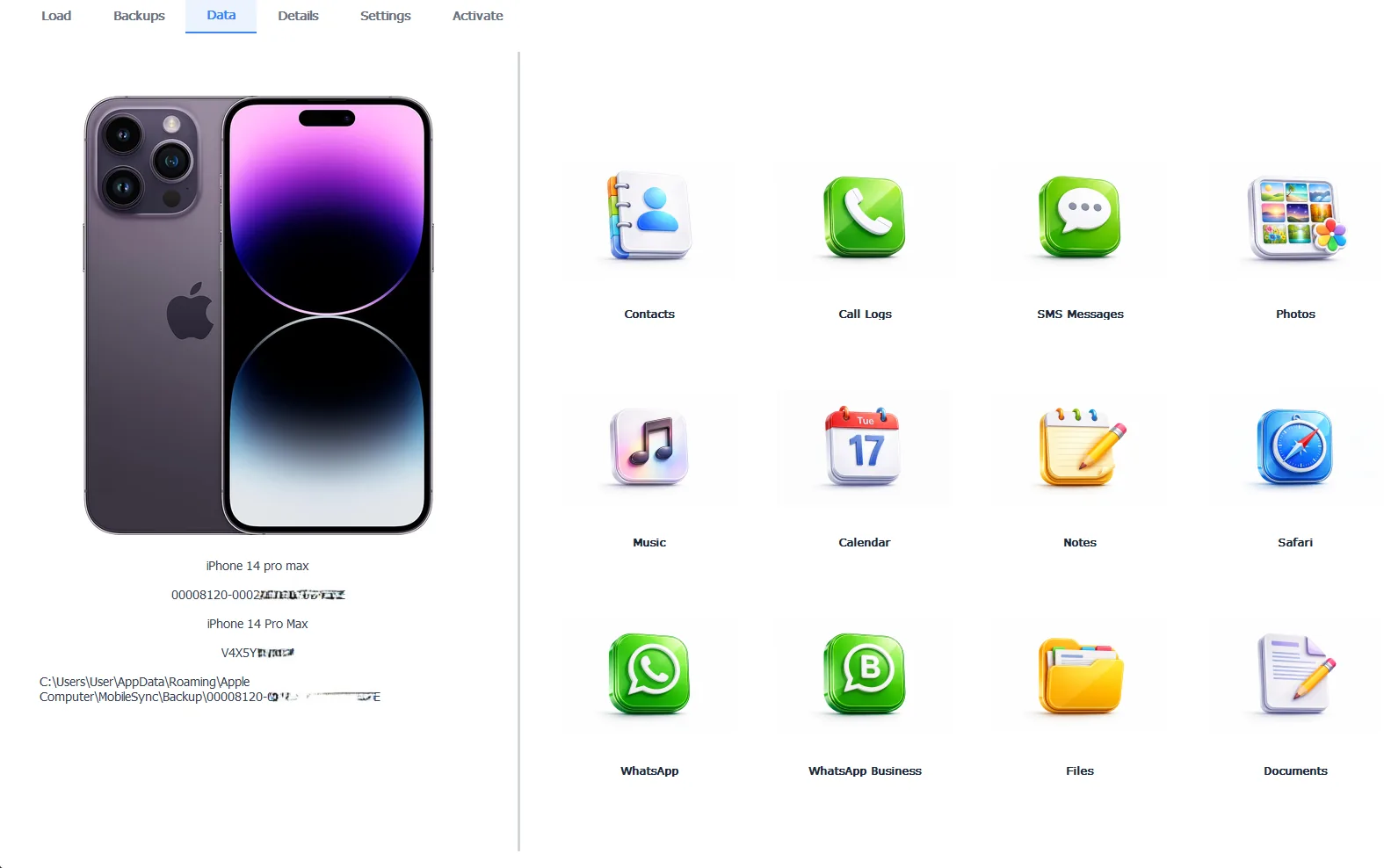
A local backup opened for reading and export on Windows
The honest limitation. iData Backup Viewer reads local backups only. No iCloud access, no device management and no Mac version. If you need any of those, Reincubate or iMazing is the right tool, weighed side by side in our guide to the best iPhone backup extractor for Windows and our roundup of iMazing alternatives.
Free version previews your backup contents. Works on Windows 10 and 11.
“Reincubate is a good tool. We tell people so. Its iCloud reach is real and we cannot match it. What we offer is a cheaper, lighter way to do the one job most people actually have, reading a local backup on Windows. If you need iCloud, do not switch. If you do not, you are paying for a feature you never open.”
Viralkumar Patel in | iData Backup Viewer Team, CYBERSICS SOLUTIONS
How Do You Switch Without Losing Data?
Switching tools is low risk because the backup is separate from the tool. Any extractor reads the same iTunes backup on your computer, so changing tools changes what opens the backup, not the backup itself.
- Confirm a local backup exists on the PC. If not, make one with our guide to backing up an iPhone to a computer.
- Install the alternative and point it at the same backup folder the old tool used.
- Browse to check the data is all there, free, before paying anything.
- Export what you need. For a locked backup, our password guide applies to every tool.
Keep the old tool installed until the new one has proven it reads everything you care about. Nothing forces a clean break, since both tools read the one backup without harming it.
Which Should You Use?
The choice comes down to one question, where your data lives.
- Data in iCloud backups or a workflow needing Mac support and many export formats. Keep Reincubate.
- A local iTunes backup on Windows and you want a lower fixed price, use iData Backup Viewer.
- You also want full device management, look at iMazing in our comparison guides.
Whatever reads the backup, the backup is what carries your data, so keep a recent, verified one. Our guides to selectively restoring iPhone data and the full iPhone data recovery hub cover what any of these tools can pull out and every road back to lost data.
Choosing an iPhone Backup Extractor alternative comes down to a few plain points:
- Reincubate wins for iCloud backups, Mac and many export formats, so keep it if you use those.
- A local viewer like iData is cheaper and lighter for reading local Windows backups.
- Switching is safe because the backup is separate from the tool that reads it.
- Match the alternative to the one job you actually need, not to a longer feature list.
⬇ Try iData Backup Viewer Free
Does your data actually live in iCloud or in a backup already on your PC?
Frequently Asked Questions
Why do people look for an iPhone Backup Extractor alternative?
The two common reasons are price and platform fit. Reincubate iPhone Backup Extractor is subscription-priced with a capped free tier, so a one-time local job can feel expensive. Some users also want a lighter Windows tool that only reads local backups, without the iCloud features they never use.
What does Reincubate do that a local viewer cannot?
iCloud access is the big one. Reincubate signs into an Apple account and pulls data from iCloud backups, not only local iTunes ones. It also handles some corrupted backups and exports to PDF, CSV, vCard and ICAL. A pure local viewer reads only backups already on the computer.
Is there a cheaper iPhone Backup Extractor alternative for Windows?
Yes. iData Backup Viewer reads local iTunes backups on Windows for a fixed $49 per year, lower than Reincubate’s ongoing subscription for many users. It previews every category free and charges only to export. It does not do iCloud, which is the trade for the lower price.
Can an alternative open my encrypted backups?
Yes, the serious tools all do. iData Backup Viewer, iMazing and Reincubate each open a password-protected backup and make its messages, photos and contacts readable. The backup password is required in every case, whichever tool you choose.
Will I lose data by switching from Reincubate?
No, because the backup is separate from the tool. Any extractor reads the same iTunes backup on your computer, so switching tools changes what reads the backup, not the backup itself. You only lose a feature if the new tool lacks one you used, like iCloud access.
Which alternative is best after selling the iPhone?
A local viewer, since a local backup opens with no phone attached. iData Backup Viewer reads and exports the backup on Windows with the phone gone. Data that lived only in iCloud would still need an iCloud-capable tool and the Apple account.
Written by Viralkumar Patel in
Viralkumar works on iData Backup Viewer at CYBERSICS SOLUTIONS, where he helps Windows users read, recover and export data from iPhone backups.
Last updated September 2026. Competitor details come from public product pages and can change. Verify current pricing before buying.