iPhone Contacts Disappeared? How to Get Them Back



You open Contacts to call someone and the list is empty, or half empty, and your stomach drops. Hold that panic. When iPhone contacts disappeared for the people we hear from, the contacts were almost never destroyed. They were sitting in an account nobody thought to check. Here’s the calm order to work through, from the two minute fixes to the backup on your PC.
Summary
When iPhone contacts disappeared, check iCloud.com first, since contacts live in accounts rather than on the phone. Re-enable the iCloud Contacts toggle, check list filters and other accounts, restore Apple’s dated contact archives if needed, or export the contacts from an iPhone backup on your PC.
| What You See | Most Likely Cause |
|---|---|
| Everything vanished after an update or sign in change | The iCloud Contacts toggle is off or stuck |
| Some contacts missing, others fine | A list filter, or a second account holding them |
| Contacts deleted by mistake, everywhere | Apple’s dated archives or your PC backup |
| Old contacts needed from a retired phone | That phone’s backup on your PC |
Table of Contents
Why Did Your iPhone Contacts Disappear?
One mental model explains nearly every case. Contacts feel like they live on the phone, and they almost never do. Each contact lives in whichever account was signed in when it was saved, iCloud for most people, Gmail or Outlook for plenty of others.
So when a sync toggle flips, an account signs out or a filter hides a list, the contacts vanish from view while sitting untouched on a server. The phone shows an empty list, and the panic is real while the loss almost never is. The fixes below check the hiding places in order of likelihood.
Check iCloud.com Before Touching Anything
Open a browser, sign in at iCloud.com with your Apple Account and open Contacts. Two minutes here changes everything about your situation.
Contacts visible there? Breathe out. Nothing is lost, and you have a sync problem with a two minute fix in the next section. Contacts missing there too? Skip ahead to the archives and the backup routes, and touch nothing on the phone in between. One access note, if iCloud.com refuses to show your data, enable Access iCloud Data on the Web in the iPhone’s iCloud settings and retry.
Fix the iCloud Contacts Toggle
- On the iPhone, open Settings and tap your name at the top.
- Tap iCloud, then See All under Saved to iCloud.
- Find Contacts. If the toggle sits off, turn it on and choose Merge when asked. Your contacts flow back down within minutes.
- Already on but the list stays empty? Cycle it. Turn Contacts off, choose Keep on My iPhone if the prompt offers it, restart the phone, then turn the toggle back on.
The cycle forces a fresh download from iCloud, and it resolves the stuck sync that updates and sign in changes leave behind. Because you already confirmed the contacts at iCloud.com, nothing here can lose them.
Check Lists and Other Accounts
Partial disappearances hide in plain sight two ways.
The list filter. Open the Contacts app and tap Lists in the top corner. Anything other than All Contacts selected means whole groups sit hidden. Select All Contacts and watch names reappear.
The second account. Contacts saved to a Gmail or Outlook account vanish when that account signs out or its Contacts toggle flips off. Open Settings, then Apps, then Contacts, then Accounts, and confirm every account that ever held contacts still shows with Contacts enabled. While you’re there, set Default Account to the one you actually use, so future contacts stop scattering.
Restore Apple’s Dated Contact Archives
For contacts genuinely deleted from iCloud, Apple keeps a quiet safety net. iCloud automatically archives versions of your contact list, and you can roll back to a dated archive from before the deletion, as covered in Apple’s guide to recovering deleted contacts from iCloud.
- Sign in at iCloud.com and open Data Recovery from the app menu.
- Select Restore Contacts. Archives appear listed by date and time.
- Pick the archive dated before the contacts went missing and select Restore.
Know the mechanics before confirming. The archive replaces your current contact list on every device, so contacts added since that date drop out. Apple archives your current list first though, letting you revert the whole restore if it makes things worse. And a freshly deleted contact’s archive can take up to 24 hours to appear, so a same day miss is worth rechecking tomorrow.
Recover Contacts from an iPhone Backup on Your PC
When the archives come up empty, when the contacts predate iCloud entirely or when they lived on a phone you no longer have, the backup route takes over. Every iPhone backup on your PC carries the complete contact list from its backup date, part of everything catalogued in our guide to what’s inside an iPhone backup.
- Install iData Backup Viewer on the PC holding the backup. It finds backups in both Windows locations on its own.
- Select the backup, entering its password if encrypted.
- Open the Contacts category and browse every name, number and email as saved on that date.
- Export the lot, or just the missing ones, as VCF or CSV. VCF files import straight into iCloud, Gmail, Outlook or a new iPhone.
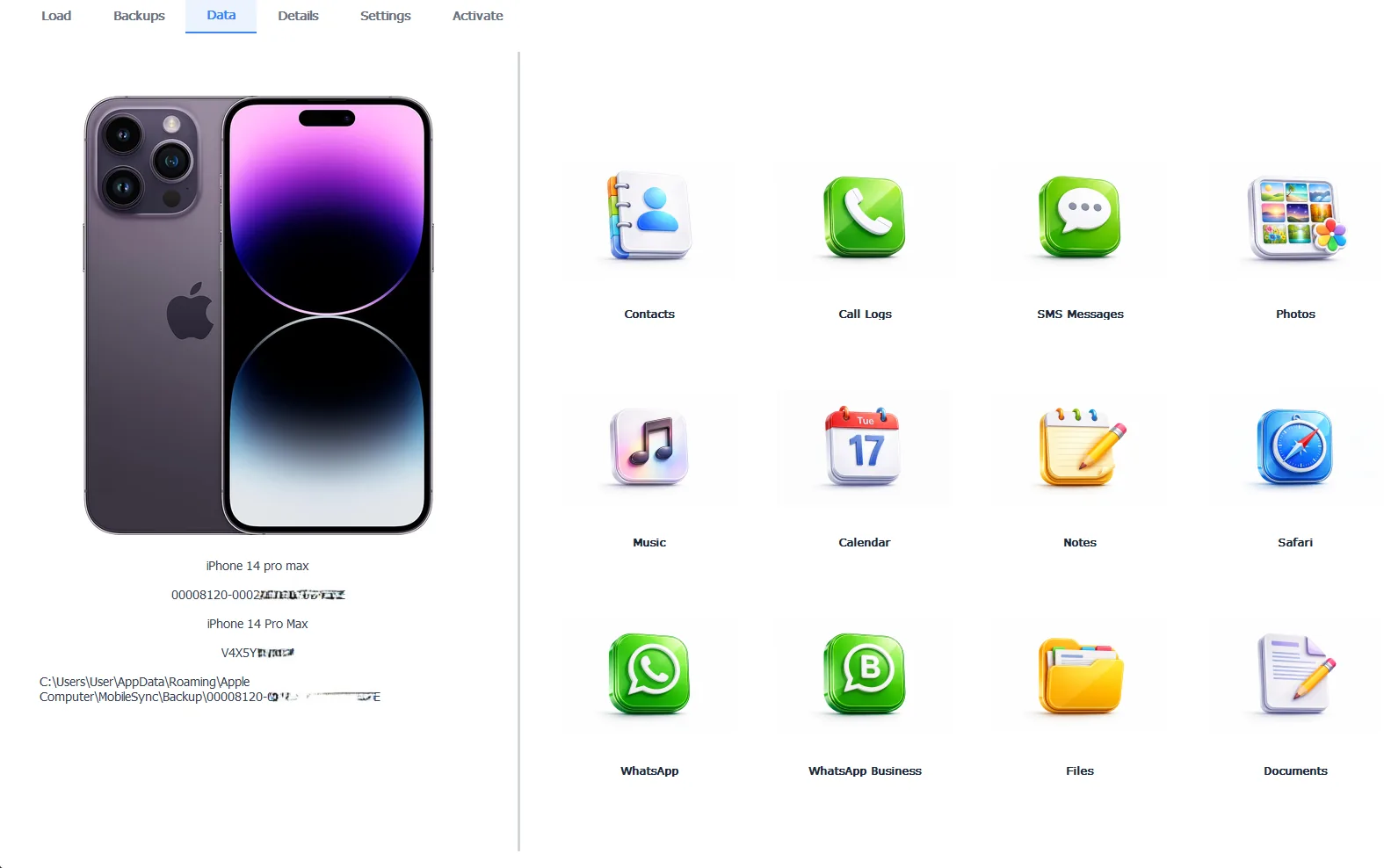
Step 3: iData Backup Viewer browsing the contact list preserved inside a backup
Nothing gets replaced and no phone gets touched, which makes this the surgical option next to the archive rollback. The free version previews your full contact list first, the Pro edition at $49 per year unlocks the exports, and everything runs 100% locally. The same route recovers contacts from phones that are broken or long gone, as long as their backup survives.
Free version previews your backup contents. Works on Windows 10 and 11.
“Contacts feel like they live on the phone, and they almost never do. They live in whichever account was signed in when each one was saved. Half the disappearances we hear about end with the contacts sitting safely in an iCloud or Gmail account nobody thought to check. The backup route is there for everyone else.”
Viralkumar Patel in | iData Backup Viewer Team, CYBERSICS SOLUTIONS
So work the ladder calmly. iCloud.com to establish the truth, the sync toggle and the filters for the illusions, Apple’s dated archives for real deletions and the backup on your PC for everything the cloud can’t reach. And once the scare passes, the lasting fix takes ten minutes, a regular encrypted backup built with our walkthrough on backing up an iPhone to a computer, so the next vanishing act has a copy waiting.
Which account was signed in on your phone back when those contacts were saved?
Frequently Asked Questions
Are my contacts gone forever?
Rarely. Contacts live in accounts rather than on the phone, so most disappearances end at iCloud.com or in another signed in account. Apple’s dated archives and the backups on your PC cover most of the rest.
Why did my contacts vanish after an iOS update?
Updates and sign in changes can leave the Contacts sync toggle off or stuck. The contacts sit safely in iCloud the whole time, and re-enabling the toggle brings them flowing back down.
Does restoring Apple’s contact archive delete my newer contacts?
The restored archive replaces your current set on every device, so contacts added after the archive date drop out of the list. Apple archives your current set first though, so you can revert the restore if it goes wrong.
Can I get contacts from an old backup without restoring my phone?
Yes. A backup viewer opens the backup on your PC and exports the contacts as VCF or CSV files, ready to import anywhere. The phone is never involved and nothing gets replaced.
Some contacts show when I search but not in my list. Why?
A list filter is hiding them. Open the Contacts app, tap Lists in the top corner and select All Contacts. Unticked lists and accounts make contacts invisible while they sit right there.
How do I stop this from happening again?
Keep one default account for new contacts so they stop scattering, and keep a regular encrypted backup on your PC. Between the account and the backup, every contact exists in two places you control.
Written by Viralkumar Patel in
Viralkumar works on iData Backup Viewer at CYBERSICS SOLUTIONS, where he helps Windows users read, recover and export data from iPhone backups.