iPhone Error 4013 Explained (4014, 4005 and 9 Too)



The iPhone could not be restored. An unknown error occurred (4013). Twelve words, one number and no explanation, right in the middle of an update or restore. Here’s the decoded version. iphone error 4013 and its siblings 4014, 4005 and 9 all report the same event, the phone and the computer losing each other mid-operation. The cause is nearly always a cable, a port or software, occasionally the phone itself. It is never your backup.
Summary
iPhone error 4013 means the device disconnected or stopped responding during an update or restore. Update iTunes, force restart the phone, use recovery mode choosing Update rather than Restore, then try a new cable, port and computer. Persisting past all of that points at hardware and Apple service.
| Error Code | What It Reports |
|---|---|
| 4013 and 4014 | Connection lost during restore or update |
| 4005 | Same family, same breakdown |
| 9 | Same family, same fix ladder |
| All four | The backup itself is not accused |
Table of Contents
What Does iPhone Error 4013 Actually Mean?
Apple’s own definition is refreshingly plain. Either the device disconnected during the update or restore or the computer couldn’t tell the device to restore, per the wording on Apple’s page for errors 9, 4005, 4013 and 4014. All four numbers share that page because all four describe the same broken conversation, differing only in which side went quiet at which moment.
Two reassurances follow directly. The error says nothing about your backup, which sat on the PC uninvolved. And it says nothing certain about the phone either, since a worn cable or an interfering program produces the identical number a failing logic board does. The fix ladder exists to tell those apart cheaply.
How Do You Fix Error 4013?
- Update iTunes or the Apple Devices app, plus any waiting Windows updates, then restart the PC.
- Force restart the iPhone. On modern models, press and release volume up, press and release volume down, then hold the side button until the Apple logo appears.
- Retry the update or restore. When iTunes offers Update or Restore, click Update, which reinstalls iOS without touching your data.
- Swap the transport. Original cable, a rear USB port straight into the PC, no hub. Our guide to iPhones not showing up in iTunes digs deeper when the connection itself misbehaves.
- Pause overzealous security software for the attempt, then re-enable it.
- Try a different computer. Success there convicts the first machine and ends the mystery.
What If the Error Keeps Coming Back?
The ladder doubles as a verdict machine. A 4013 that survives fresh software, a force restart, two cables, two ports and a second computer has run out of innocent explanations. That’s exactly when Apple’s page stops offering steps and says contact us. Persistent cases in that state tend to involve the phone’s internals, storage or logic board territory that no setting reaches.
Spend accordingly. Repair software sold online cannot solder, so a hardware 4013 shrugs off every paid download. The money belongs at Apple service or a competent repair shop, with the questions worth asking them covered in our guide to recovering data from a broken iPhone.
Is Your Backup Safe When 4013 Strikes?
Completely. The error interrupts a conversation, not a folder, so every backup on your computer remains exactly as it was. Two minutes in iData Backup Viewer on Windows 10 or 11 proves it, showing the messages, photos, contacts and everything else inside the backup, free, while the phone sulks in recovery mode.
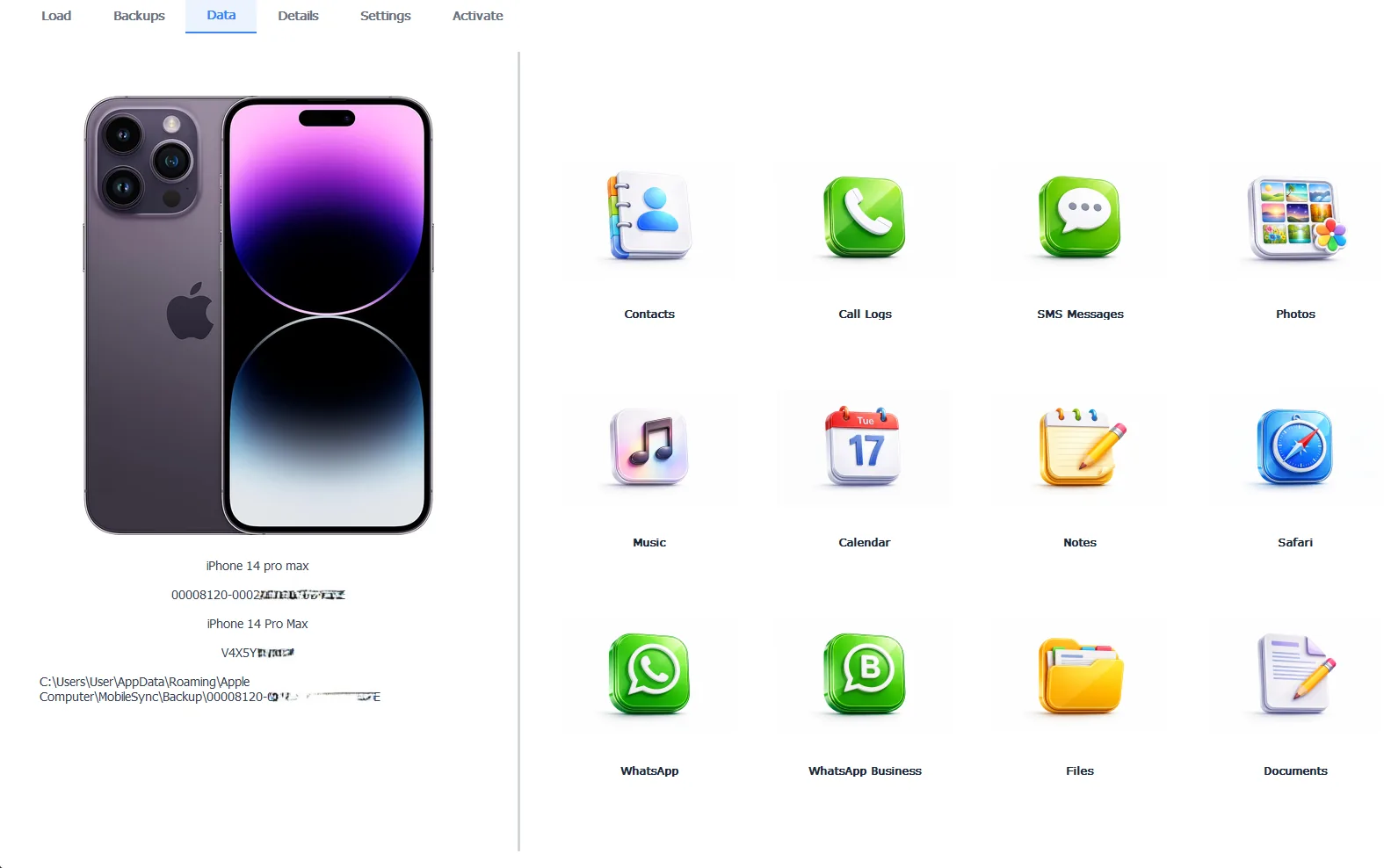
The backup, fully readable while the phone and iTunes argue
That verification changes the mood of the whole crisis. With the backup confirmed intact, the worst ending becomes a hardware repair plus a restore. Data loss leaves the table. And in the rare ending where the phone stays dead, the Pro edition at $49 per year exports everything out of the backup directly, 100% locally, no phone required.
Free version previews your backup contents. Works on Windows 10 and 11.
“Error numbers terrify people because they sound like diagnoses. 4013 is not a diagnosis, it’s a dropped call. Most of the time redialing with a better cable fixes it. The useful move nobody makes is checking the backup while the phone misbehaves, because a verified backup turns the scariest error into an inconvenience.”
Viralkumar Patel in | iData Backup Viewer Team, CYBERSICS SOLUTIONS
How Do You Finish the Restore After Fixing It?
Once the error clears, the ending follows the standard script. A phone revived through the Update path kept its data and needs nothing more. A phone that needed the Restore path comes back empty and rebuilds from your backup, walked through in our guide to restoring an iPhone from a backup. Runs that begin failing again later belong to a different family, the recurring failures our guide to backups that keep failing untangles. Update season adds its own twist too, covered in backup corrupt after an iOS update.
So read 4013 as it deserves to be read. A dropped call between phone and PC, redialed with better software, a better cable or a better computer. Hardware help enters only after the ladder rules everything else out. The backup waits patiently through all of it, holding your life in trust. Every other rescue route lives in our iPhone data recovery hub.
Have you verified your backup yet or is the error still doing the talking?
Frequently Asked Questions
Is error 4013 caused by a corrupt backup?
No. The 4013 family reports a breakdown between the phone and the computer during the operation, never a verdict on the backup. Your backup sits on the PC exactly as healthy as it was before the error.
What’s the difference between error 4013 and 4014?
Nothing that changes your next step. Apple lists 9, 4005, 4013 and 4014 together as one disconnection family with one shared fix ladder, so treat the numbers as the same problem wearing four jerseys.
Does error 4013 mean my iPhone’s hardware failed?
A single 4013 almost never does, that’s a cable or software moment. The hardware suspicion starts when the error survives new cables, another computer and every software fix, which is Apple’s own signal to bring the device in.
Will I lose data because of error 4013?
The phone can end up needing a full restore, so the phone’s unsaved changes are at risk. Everything in your backup is not. The backup is what rebuilds the phone once the error clears.
Can I get my data if the phone never comes back?
Yes. Every computer backup the phone made remains fully readable, so its messages, photos and contacts extract on your PC whether the phone ever boots again or not.
Does DFU mode fix error 4013?
Sometimes, as the deepest software-level restore that exists. It erases the phone completely though, so it’s the last software step before service, taken knowing the backup will do the rebuilding.
Written by Viralkumar Patel in
Viralkumar works on iData Backup Viewer at CYBERSICS SOLUTIONS, where he helps Windows users read, recover and export data from iPhone backups.