How to Print Text Messages from iPhone for Court



A custody dispute, a workplace claim, an insurance fight. Suddenly a message thread on your iPhone matters more than anything else on it, and you need it on paper. Here’s how to print text messages from iPhone as a clean, complete record, why screenshots are the weakest way to do it and where the honest limits sit. One rule above all of them. Your lawyer decides what your case needs, and this guide covers the producing, not the law.
Summary
To print text messages from iPhone, back the phone up to your PC, export the conversation from the backup as a PDF with names and timestamps intact, then print it. The Messages app itself has no export or print feature, and screenshots produce fragmented records that invite challenges.
| Method | What It Produces | The Weakness |
|---|---|---|
| Screenshots | Images of screen fragments | Incomplete, croppable and painful past a few messages |
| The Messages app itself | Nothing | Apple built no export or print for iMessages |
| PDF export from the backup | Full threads with names and timestamps | Needs a backup on your PC first |
| Certified forensic extraction | Examiner produced records with chain of custody | Real cost, reserved for contested cases |
Table of Contents
What Does a Usable Message Record Look Like?
Across every kind of dispute, the strong records share four traits. They’re complete, showing the whole conversation rather than chosen excerpts. They run in chronological order. Every message shows who sent it. And every message carries its date and time.
Miss any of the four and the record invites questions. What came before this excerpt? Who actually wrote this? When? A format that answers those questions before they’re asked is doing half your work for you.
Exact requirements go further and differ by country, by court and by case type. Some demand sworn statements about how the record was made, and some demand a professional examiner. That’s your lawyer’s territory, so hand them the format question early.
Why Do Screenshots Fall Short?
Screenshots are everyone’s first instinct, and they carry three built in problems.
They fragment. A serious thread runs hundreds of messages, which becomes a stack of dozens of images with overlaps, gaps and no promise of order. They’re selective by nature, since a screenshot shows what fit on screen, and cropping suspicion follows them everywhere. And they’re thin on detail, because Messages hides exact timestamps behind a swipe that screenshots rarely capture.
For two messages, fine. For the thread your case leans on, the format works against you.
Does the iPhone Have a Built In Way to Print Messages?
No, and it surprises everyone. The Messages app has no export button, no print option and no save as PDF. AirPrint prints what’s on screen from apps that support it, and Messages isn’t one of them.
WhatsApp users get a capped per chat export, which we covered in our guide on exporting WhatsApp chats from an iPhone backup. For iMessage and SMS, Apple offers nothing at all. The complete copy of your message history that Apple does provide lives somewhere else entirely, inside the backup your iPhone writes to your PC.
How Do You Print Text Messages from iPhone as a PDF?
The backup route produces exactly what the strong record needs. iData Backup Viewer opens the backup on Windows 10 and 11 and exports any conversation as a PDF, every message in order with its sender name and timestamp.
- Back up the iPhone to your PC with iTunes or the Apple Devices app. Already have a backup? Find it using our guide on where iPhone backups are stored on Windows.
- Install and launch iData Backup Viewer. It detects backups in both Windows locations on its own.
- Select your device, entering the backup password if it’s encrypted.
- Open Messages, pick the conversation your case needs and review it in the preview.
- Export it as PDF, then print. One thread, first message to last, ready for a binder.
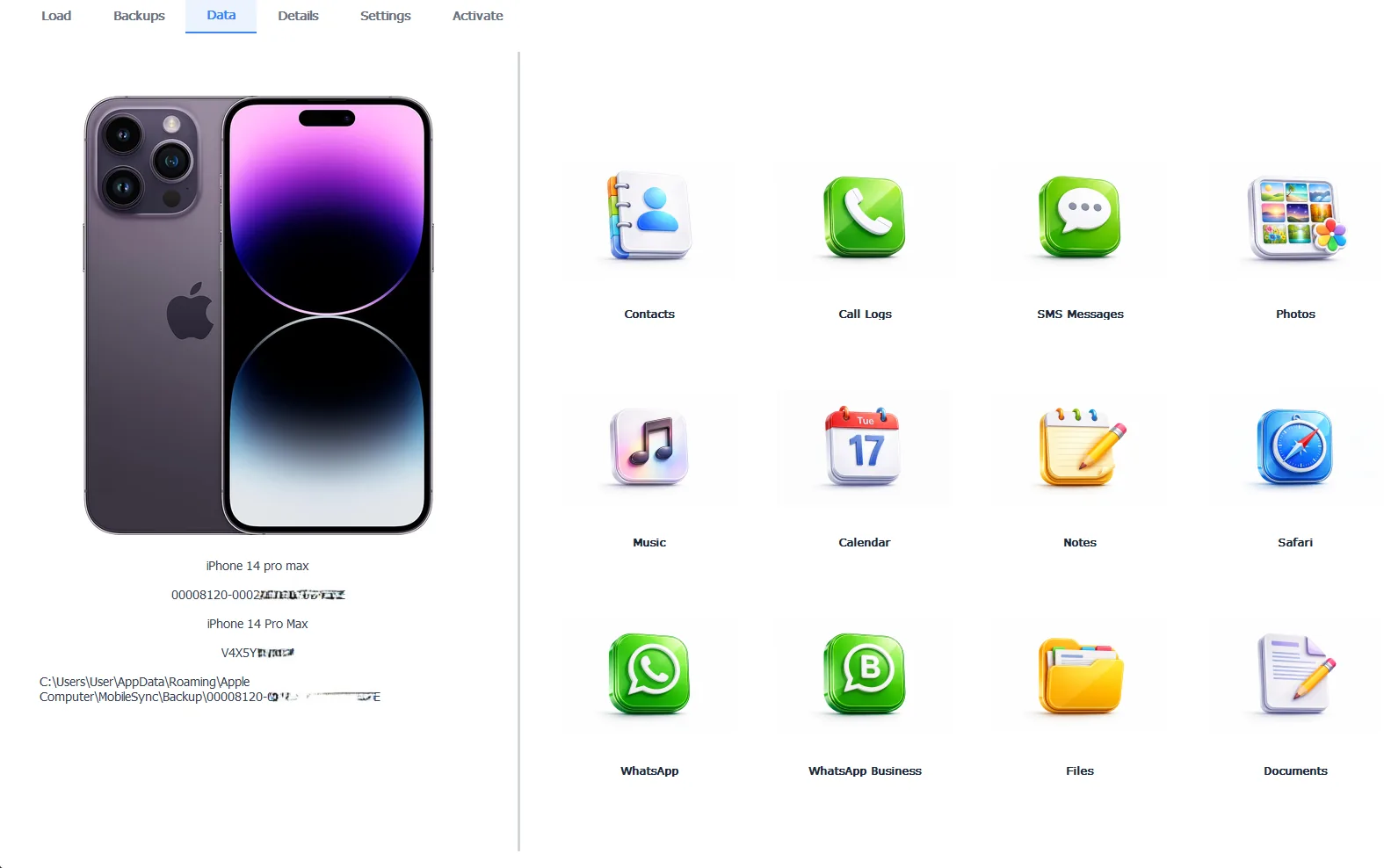
Step 4: iData Backup Viewer displaying a full conversation before PDF export
The free version previews every conversation first, so you confirm the thread is complete before anything else. The Pro edition at $49 per year unlocks the export, and everything runs 100% locally, which matters when the content is sensitive.
Free version previews your backup contents. Works on Windows 10 and 11.
“A four hundred message thread as screenshots is a stack of images with no guarantee of order or completeness, and the other side knows it. The same thread as one PDF, every message with its name and timestamp in sequence, reads like a document instead of a scrapbook. Format decides how seriously a record gets taken.”
Viralkumar Patel in | iData Backup Viewer Team, CYBERSICS SOLUTIONS
What About Deleted Messages You Need for Court?
Two windows exist. On the phone, Apple’s Recently Deleted folder holds messages for 30 days, and in some cases up to 40, with the steps in Apple’s recovery guide. Past that window, an older backup on your PC becomes the search ground, and our guide on recovering deleted iMessages from a backup covers the method and the honest odds.
Protect the backup before anything touches iTunes
One backup per device means the next sync overwrites the last. When a backup holds messages your case depends on, copy the whole device folder to a safe location today, before any phone connects to that PC again.
When Do You Need More Than a PDF?
A self produced PDF covers plenty of situations, and some cases demand more. When the other side disputes that the messages are real, courts look to certified forensic examiners who extract data under documented procedures and can testify about it. That’s a service your lawyer arranges, at real cost, for cases that warrant it.
Carrier records come up constantly and deliver less than people hope. Carriers hold SMS content briefly at most and never hold iMessages, which travel encrypted outside their systems. Requests of that kind run through legal process, another reason the copy on your own phone and PC is the record that matters.
The pattern across all of it. Produce the clean record now, tell your lawyer exactly how it was made and let them decide whether your case needs the heavier machinery.
So the path is short and the order matters. Back up the phone, export the thread as one complete PDF with every name and timestamp, print it and put the format question in front of your lawyer early. The conversation already happened. Your job is making it readable.
Which conversation does your case come down to?
Frequently Asked Questions
Are printed text messages admissible in court?
That depends on your jurisdiction, your case and how the record gets authenticated, which is a decision for your lawyer, not for any software guide. What you control is producing a complete, clearly formatted record for them to work with.
Do the printouts show dates and times?
Yes. Exporting from the backup keeps each message with its sender name and timestamp in chronological order, which is exactly the detail screenshots tend to lose or crop.
Can I print just one conversation?
Yes. Select the single thread you need and export only that. One conversation, one PDF, from first message to last, without dragging unrelated chats into your paperwork.
Can I get messages the other person deleted?
Their deletion removes their copy, not yours. Everything still in your Messages app or inside your backup remains yours to export, regardless of what happened on their phone.
Can my phone carrier provide the messages?
Rarely in useful form. Carriers keep SMS content briefly at most, and iMessages travel encrypted outside carrier systems entirely. Requests of that kind run through lawyers and legal process, with no guarantee content still exists.
Is exporting from a backup considered tampering?
The export reads the backup without changing it, and the backup stays byte for byte as iTunes wrote it. Tell your lawyer exactly how the record was produced. For contested cases, they can bring in a certified forensic examiner.
Written by Viralkumar Patel in
Viralkumar works on iData Backup Viewer at CYBERSICS SOLUTIONS, where he helps Windows users read, recover and export data from iPhone backups.