How to Recover App Data After an iPhone Update (2026)



You update iOS and open a favorite app. Years of notes, a game save or a workout history are blank. The app reset itself during the update. To recover app data after an iphone update, the one thing that decides your odds is whether a computer backup exists from before the update ran. If it does, the app data is waiting inside it. This guide shows how to get it back and how to stop it happening next time.
Quick Answer
You recover app data after an iPhone update from a computer backup made before the update ran. App data lives inside that backup, so restoring it or reading it with a viewer brings the data back when an app resets or loses its history. Without a pre-update backup, app data that was not synced to the app’s own cloud is hard to recover.
| Your Situation | Can You Recover the App Data? |
|---|---|
| Backup made before the update | Yes, restore or extract it |
| App syncs to its own cloud | Yes, reinstall and sign in |
| Only a backup from after the reset | No, the data was already gone |
| No backup and no app sync | Unlikely, local-only data is lost |
Table of Contents
Why Does an App Lose Its Data After an Update?
A normal iOS update keeps your app data. The loss comes from the app itself in most cases, not from iOS. When an app updates to a new version, it sometimes fails to move its old data into the new format. A bug can also clear its local storage. The app opens looking brand new, even though iOS did nothing wrong.
The other cause is a failed update that forced a full restore. If the restore used an old or incomplete backup, recent app data did not come back, the situation our guide to data missing after an iPhone restore handles. Either way, the data that was on the phone is gone from the app, so the question becomes where else a copy exists.
Is App Data Saved in the iPhone Backup?
Yes, app data rides in the backup even though the app files do not. A backup records your logins, progress, documents and settings for each app. The app itself is redownloaded from the App Store during a restore. That split is normal and explained in our breakdown of what is inside an iPhone backup and the matching list in what an iPhone backup does not include.
This is the good news behind a reset app. A computer backup made before the update still holds that app’s data, frozen on its date. The app on the phone forgot everything, while the backup remembers. Reaching into the backup is how you get it back.
How Do You Recover App Data After an iPhone Update?
The recovery works two ways, a full restore or a targeted extract.
- Find a backup made before the update. Check the dates on your computer backups and pick one from while the app still had its data.
- Open it on Windows 10 or 11 with iData Backup Viewer to confirm the app data is inside, free to browse.
- Restore that backup to bring everything back. Or extract the specific app files and documents without a full restore.
The restore route returns the whole phone to the backup date. That recovers the app data but also rolls back anything newer, so weigh the trade. The targeted route reads the backup and pulls out what you need, covered in our guide to selectively restoring iPhone data, leaving the rest of the phone untouched. For a single app’s documents or attachments, the targeted route avoids losing recent data from everything else.
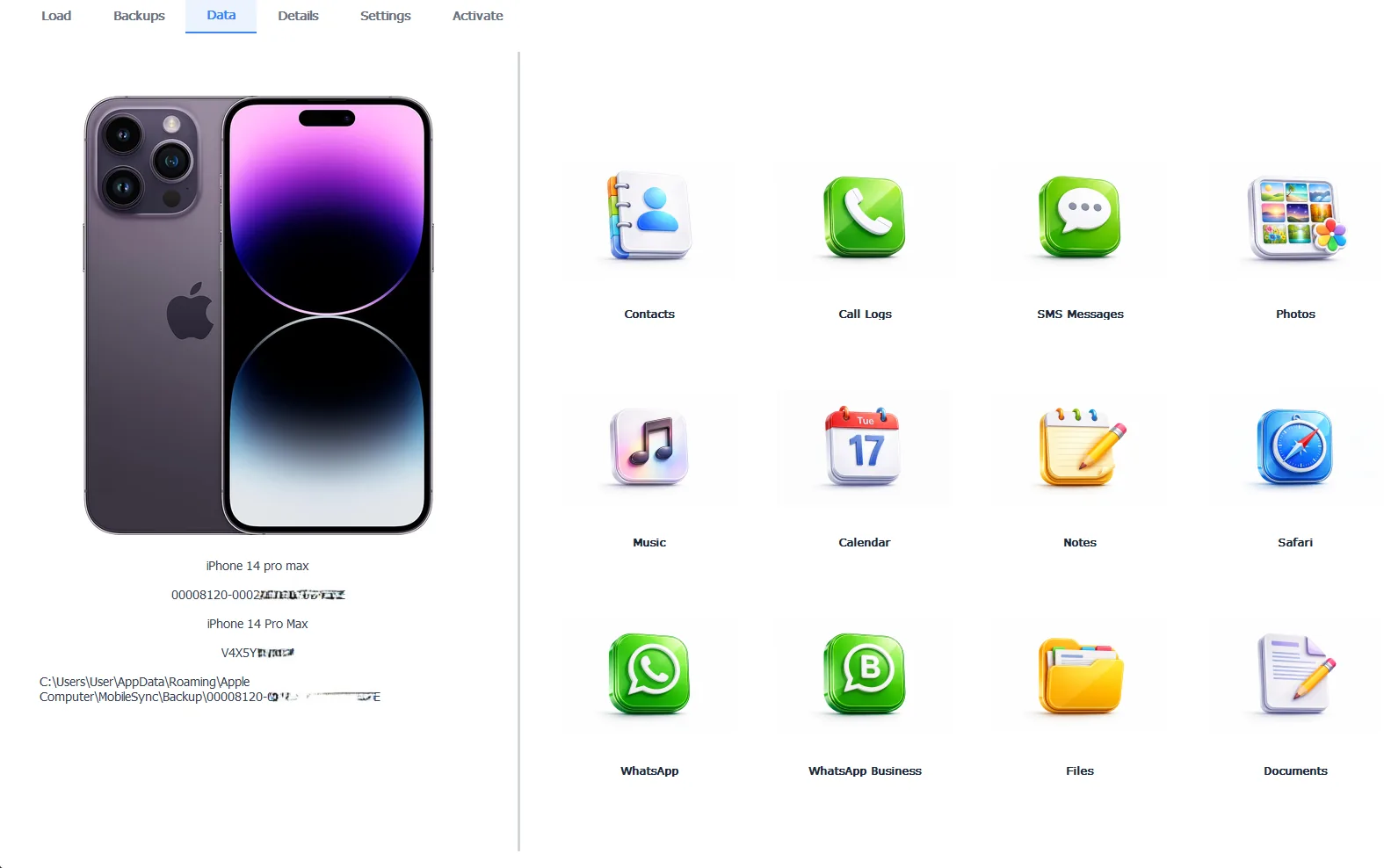
A pre-update backup opened to recover an app’s data on Windows
Browsing the backup is free, which confirms the app data survived before you act. Exporting takes the Pro edition at $49 per year, running 100% locally on your PC.
Free version previews your backup contents. Works on Windows 10 and 11.
“When an app wipes itself after an update, people blame iOS and assume the data is gone. The data is almost always fine. It sat in the backup the whole time, since app data rides along even when the app forgets it. The only people who truly lose it are the ones who never backed up to a computer before the update.”
Viralkumar Patel in | iData Backup Viewer Team, CYBERSICS SOLUTIONS
What If You Have No Pre-Update Backup?
Two chances remain. The first is the app’s own cloud. Many apps sync their data to their own servers, so reinstalling the app and signing back in restores the history from the app’s side, no iPhone backup needed. Check the app’s settings or support page for a sync or restore option before giving up.
The second is an older computer backup you forgot about. Backups never expire, so a backup from months ago still holds that app’s data from its date. It can miss only the newest items. Search every computer the iPhone ever connected to. When neither the app’s cloud nor any backup holds the data, local-only app data that lived solely on the phone is the one case that is genuinely hard to recover.
How Do You Protect App Data Before the Next Update?
One habit removes this worry. Back up the iPhone to a computer before every major update, following our guide to backing up an iPhone to a computer. Choose an encrypted backup so even sensitive app data rides along. A fresh backup turns any post-update reset into a quick recovery instead of a loss.
Verify the backup too. Open it and confirm your app data is inside before you tap Install, the one check that converts hope into certainty. The wider map of recovery from a backup lives in our iPhone data recovery hub.
Recovering app data after an update comes down to a few plain points:
- App data rides in the backup, so a pre-update backup is the main way to get it back.
- Restore the whole backup or extract just the app’s data, whichever fits.
- With no backup, check the app’s own cloud sync and any older computer backup.
- Back up and verify before every major update so a reset is never a real loss.
Do you have a backup from before the update that reset your app?
Frequently Asked Questions
Why did my app lose its data after an iPhone update?
An app can reset after an update when the update clears its local storage or the app fails to migrate its old data to the new version. The data that was on the phone is gone from the app, but a computer backup made before the update still holds it inside the app’s data.
Does an iPhone backup include app data?
Yes. An iPhone backup saves app data like logins, progress and documents, though not the app files themselves. The app is redownloaded from the App Store during a restore while its data comes back from the backup. This is why a pre-update backup can restore lost app data.
Can I recover app data without restoring the whole phone?
In many cases, yes. A backup viewer reads the backup on a computer and lets you pull specific data out, so you can reach app files, documents and attachments without a full restore. Whether every app’s data is readable depends on how the app stored it.
What if I did not back up before the update?
Check whether the app syncs to its own cloud, since many apps restore their data from their own servers after a reinstall. Also search for any older computer backup, which still holds the app data from its date. With neither, local-only app data is hard to recover.
Does updating iOS delete app data?
A normal iOS update keeps app data. Data loss comes from an individual app resetting during its own update or from a failed update that forced a restore. Backing up before any major update is the safeguard against both.
Is recovering app data from a backup free?
Browsing a backup to see its app data is free, which confirms the data is there. Exporting the files out takes the Pro edition at $49 per year, running 100% locally on your PC.
Written by Viralkumar Patel in
Viralkumar works on iData Backup Viewer at CYBERSICS SOLUTIONS, where he helps Windows users read, recover and export data from iPhone backups.
Last updated September 2026